Where to Live Stream FIFA World Cup 2026: Broadcasters & Apps
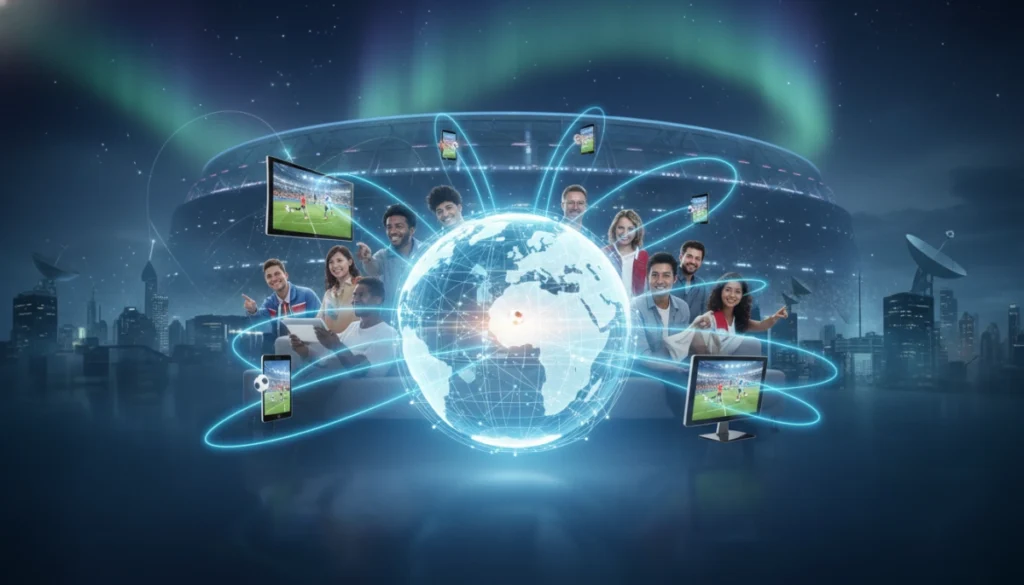

How you’ll be able to live stream the FIFA World Cup 2026
The 2026 World Cup will be the largest yet, with matches across multiple countries and a 48-team tournament format. That expanded schedule means more simultaneous matches, more broadcast partners, and a wider mix of TV networks and streaming apps carrying games. You’ll likely watch matches on a combination of free-to-air broadcasters, pay TV channels, and streaming services — sometimes the same company offers both a linear channel and a dedicated app or web stream.
Because media rights are sold country-by-country, where you physically are on match day determines which apps are legal and reliable for live streams. Official broadcasters generally provide high-quality feeds, multiple language commentary, and extra features like multi-camera angles and real-time stats. Unauthorized streams can appear online, but they’re unstable and often illegal — for consistent coverage and match notifications, you’ll want to use verified apps or the broadcaster’s website.
Types of broadcasters and streaming platforms you should expect
- National public and free-to-air broadcasters — In many countries, major public networks will have rights to key matches and highlights. These services typically offer live streams through their official websites or apps, usually free with regional access.
- Subscription pay-TV networks — Cable and satellite providers that win rights often include streaming access for subscribers. If you already subscribe to a pay-TV package, check whether your provider’s app includes World Cup channels at no extra cost.
- Standalone and OTT streaming services — Rights may be held by streaming platforms that require a subscription. These services can offer flexible viewing on smart TVs, mobile devices, and web browsers, plus extras like condensed match replays.
- Companion apps and multi-feed offerings — Expect apps that focus on live stats, alternate camera angles, and multi-language commentary. Some broadcasters bundle these features into companion apps or within their primary streaming app.
How to choose the right streaming option and prepare before match day
Start by confirming the official rights-holder in your country — that’s the source of legal live streams and the best-quality video. Check the FIFA website or the broadcaster’s site for announcements, then install the relevant app and sign up early if a subscription or cable login is required. If you plan to watch multiple simultaneous matches, look for services that provide multi-game viewers, picture-in-picture, or match switching without long delays.
- Verify device compatibility: smart TVs, Android/iOS, and browser support vary by app.
- Test streaming quality and your internet speed ahead of kickoff; live HD streams typically need 5–10 Mbps.
- Be mindful of blackout rules and regional restrictions; official apps will enforce these, and using VPNs may violate terms of service.
With those basics covered, you’ll be ready to pick the best service for your viewing style — in the next section, you’ll get a country-by-country breakdown of likely broadcasters and the apps they provide so you can plan exactly where to stream each match.
Country-by-country guide: who will likely stream the matches
Below are the broadcasters and apps you should watch for in major markets. Rights are frequently announced well before the tournament — check the FIFA website or local broadcaster press releases for final confirmations — but these are the outlets most likely to carry World Cup coverage based on past deals and market patterns.
– United States — Expect national English and Spanish coverage from major sports networks and their streaming apps. Historically, large broadcasters have offered both linear channels and authenticated streaming through network apps and companion services; look for the official network apps and any over-the-top portals they promote.
– Canada — Coverage is typically split between public and pay broadcasters. Public networks often stream marquee matches for free through their apps and websites, while cable sports channels provide broader group-stage coverage via their OTT platforms.
– Mexico — National free-to-air broadcasters usually carry many matches, with pay-TV partners streaming additional games in Spanish. Official broadcaster apps and regional streaming portals will be the primary legal sources.
– United Kingdom — Big public and commercial networks that win rights tend to stream via their main apps with multi-device support. Expect free-to-air coverage for select matches alongside subscription options for more extensive streaming.
– Germany, France, Spain — In these European markets, public broadcasters and large commercial networks traditionally split rights; look for their streaming services to include live match channels, multi-language commentary, and on-demand highlights.
– Brazil and Argentina — Major national broadcasters and sports networks (both free-to-air and pay-TV) typically offer robust streaming apps with high-demand feeds and condensed replays for international viewers.
– Australia and Oceania — Public broadcasters often secure rights, streaming key matches free through their apps, while pay services may offer full tournament packages.
– India and South Asia — Large regional sports networks and streaming platforms usually secure rights; matches are often available across multiple language streams in dedicated sports apps.
If you rely on a specific device (smart TV, set-top box, mobile), confirm the broadcaster’s app supports it before match day. Regional blackout rules and final channel lineups will be spelled out in each broadcaster announcement.
Watching multiple matches at once: tools and setups that work best
With 48 teams and simultaneous kickoffs, multi-game viewing is a priority for many fans. Here are practical setups and app features to look for:
– Multi-view/mosaic mode: Some broadcasters and streaming platforms offer an official multi-game viewer or picture-in-picture. This is the most reliable way to watch several matches with synchronized audio options.
– Second-screen apps: Use a tablet or phone for a second live feed (or for stats and alternate commentary) while the main match runs on your TV. Many broadcaster apps let you sign in on multiple devices.
– Low-latency priority: When watching multiple feeds, try to match latency between streams (same provider or app reduces lag). Otherwise, follow one match live and keep other games on short-delay streams or condensed replays.
– Hardware tips: Modern smart TVs, streaming sticks (Roku, Fire TV, Apple TV), and gaming consoles support split-screen or quick app switching. Use wired Ethernet for stability, and enable “game/low latency” modes on routers if available.
– Prepare accounts ahead: Create accounts, verify email, and link cable provider credentials before kickoff to avoid delays when switching between feeds.
Cross-border viewing and VPNs: what to expect
Traveling fans should be mindful that rights are territorial. Official broadcaster apps enforce geoblocking and may require a local subscription or cable authentication. While VPNs can sometimes bypass regional blocks, using one may violate a service’s terms and risk account suspension. Safer alternatives are to use the broadcaster designated for your travel destination (purchase a local short-term streaming pass where available) or rely on FIFA’s official match centers and highlights if local live access is restricted.
Before match-day checklist
- Confirm the official rights-holder in your country and bookmark their streaming page.
- Install the broadcaster’s app on all devices you’ll use and sign in ahead of kickoff.
- Test your internet speed and streaming quality; aim for 5–10 Mbps per HD stream.
- Prepare alternate devices (tablet/phone) for second-screen viewing or multi-game feeds.
- Have account credentials, cable logins, or subscriptions ready to avoid interruptions.
Final notes for World Cup streaming
Plan a little before the tournament and you’ll avoid scrambling when multiple matches kick off at once. Use official apps and broadcaster feeds for the best reliability, quality, and features — and consult the FIFA broadcast page or your national broadcaster for the latest announcements. Above all, focus on enjoying the matches: the 2026 World Cup will be a unique and busy event, and a small amount of setup will make the whole experience smoother for you and anyone you watch with.